Best IPTV Player for Firestick in 2026: Apps Compared
Quick Answer
TiviMate, IPTV Smarters Pro, the British IPTV app and more, compared on speed, features and price for Amazon Firestick in 2026.
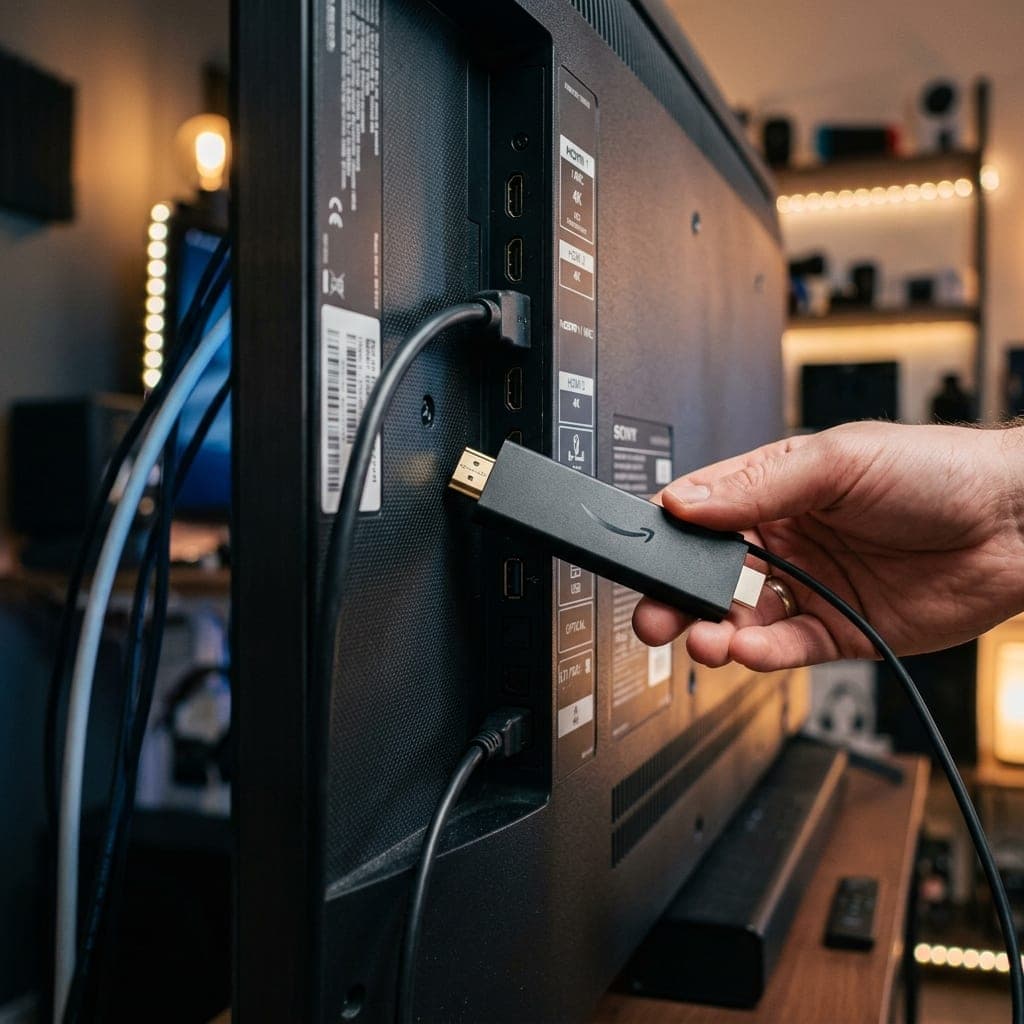
Which is the best IPTV player for Firestick?
For most people in 2026, TiviMate is the best IPTV player for the Amazon Firestick, thanks to its fast programme guide, catch-up, recording and multi-view. IPTV Smarters Pro is the best free option and works on every other device too. The British IPTV app is the simplest choice for our own customers. This guide compares these and other players on the things that matter on a Firestick: speed, memory use, features, ease of setup and cost.
Why the player matters on a Firestick
The Firestick has limited memory and storage compared with a box like the Nvidia Shield. A heavy, poorly optimised app can make the guide slow, take seconds to change channel or crash when loading a large channel list. A good player keeps the Firestick responsive even with tens of thousands of channels, which is why the choice of app makes a bigger difference here than on more powerful devices.
Comparison table
| Player | Price | Speed on Firestick | Catch-up | Recording | Multi-view | Install |
|---|---|---|---|---|---|---|
| TiviMate | Free, Premium paid | Excellent | Premium | Premium | Premium | Downloader |
| IPTV Smarters Pro | Free | Good | Yes | Limited | Yes | Appstore or Downloader |
| British IPTV app | Free for customers | Very good | Yes | No | No | Downloader |
| Purple Player | Free | Good | Yes | Limited | No | Downloader |
| OTT Navigator | Free, Premium paid | Good | Yes | Premium | No | Downloader |
1. TiviMate: best overall
TiviMate looks and feels like a premium set-top box. The guide scrolls smoothly, channels switch quickly, and it stays responsive on a Firestick 4K Max. The free version handles live TV and the guide. Premium, bought from the developer through the TiviMate Companion app, adds catch-up, recording to USB storage, multi-view for up to four channels, custom favourite groups and multiple playlists. It is the best choice for sport fans who want catch-up and multi-view. Read our TiviMate setup guide.
2. IPTV Smarters Pro: best free player
IPTV Smarters Pro costs nothing and runs on Firestick, Android, iPhone, iPad, Apple TV, Windows and Mac. Using the same app on every device makes it easy for the whole household. It has clear sections for live TV, films, series and catch-up, and a multi-screen view. It is slightly slower than TiviMate with very large lists, but a strong free option. See our IPTV Smarters setup guide.
3. British IPTV app: simplest for our customers
Our own app is built around our service, so it needs no server address: you sign in and your channels, guide and library load. It is designed to stay quick on Firesticks and includes catch-up on supported channels. Download it from our app page.
4. Purple Player and OTT Navigator
Purple Player is free with a clean, simple layout, a good fit for a second TV or less technical users. OTT Navigator offers a high level of customisation for people who like to fine-tune guide layouts and playback settings. Both are installed with Downloader.
How to install a player on Firestick
- Enable developer options: Settings, My Fire TV, About, then press select on your device name seven times.
- Install the Downloader app from the Amazon Appstore.
- In Developer Options, turn on Install unknown apps for Downloader.
- Open Downloader, type the player's official download address and install it.
- Open the player, choose Xtream Codes and enter your login.
Only download apps from their developers' official websites. Our Firestick 4K setup guide walks through each screen.
Settings that make any player faster
- Hide channel groups you never use so the list loads faster.
- Update the guide once a day rather than more often.
- Leave hardware decoding on for HD and 4K.
- Clear the app cache occasionally in Firestick settings.
- Restart the Firestick weekly by holding Select and Play for five seconds.
Which Firestick should you use?
The Firestick 4K Max gives the best experience, with more memory and faster Wi-Fi than older models. The basic Firestick Lite struggles with large guides and cannot play 4K. See our page on the best IPTV for Firestick and our Shield vs Firestick comparison if you are choosing a device.
Our recommendation
- Most people: TiviMate, upgrading to Premium for catch-up and multi-view.
- Free and works everywhere: IPTV Smarters Pro.
- Simplest setup: the British IPTV app.
All of them work with the same login, so you can install two and keep the one you prefer. Our full IPTV player comparison covers other devices.
Try them free
Claim a free 6-hour trial, with no card needed, and test TiviMate and Smarters side by side on your Firestick.
James has spent over 8 years reviewing streaming technology, IPTV services, and cord-cutting solutions for UK audiences. He specialises in device compatibility, network optimisation, and helping readers get the most from their streaming subscriptions.
Related Articles
Ready to experience the best IPTV UK?
Stop buffering and start watching. Claim your free 6-hour trial today.