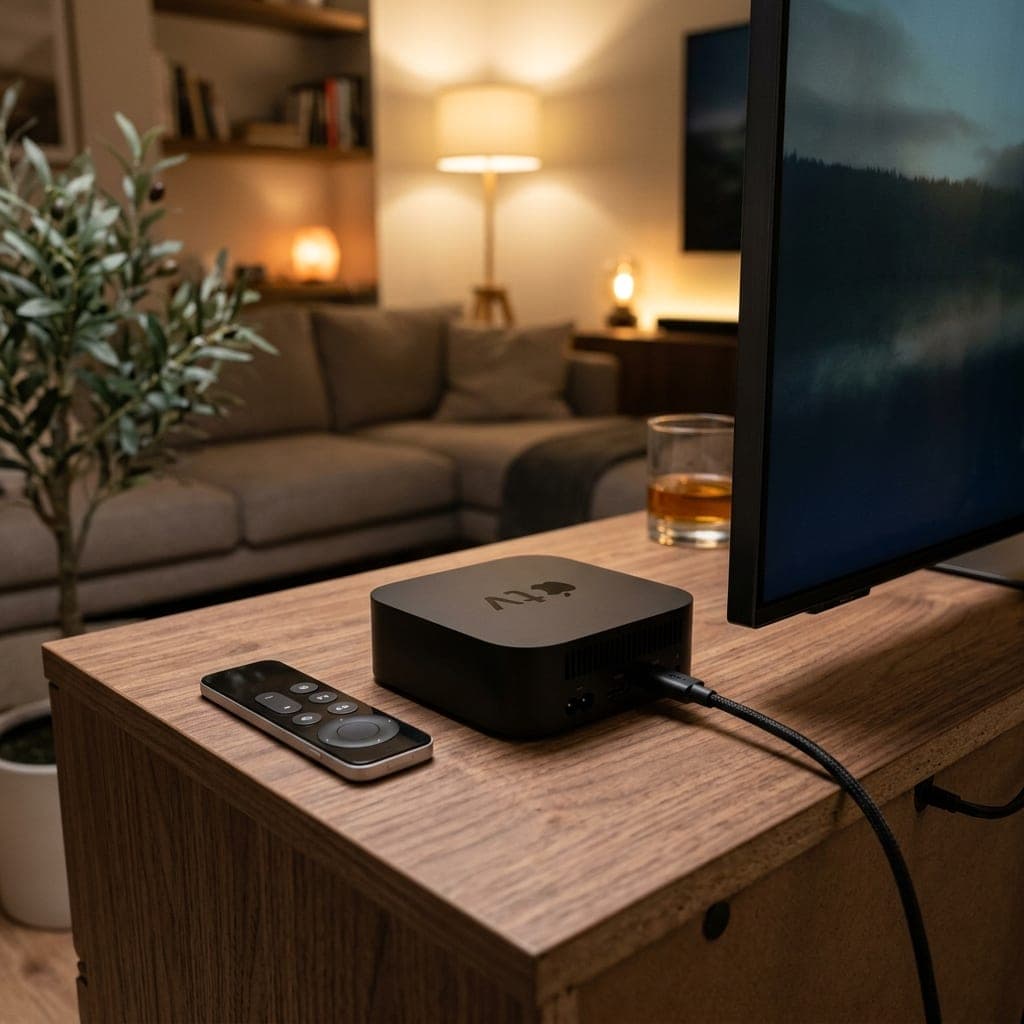
What Is Different About Apple TV
You Install a Player from the App Store
Apple TV runs tvOS, so every app comes from the tvOS App Store — there is no sideloading and no Downloader equivalent. You install a third-party IPTV player, then enter the credentials your subscription supplies. The player and the subscription are two separate things.
TiviMate Does Not Exist on Apple TV
This catches out almost everyone moving from a Firestick or an Android box. TiviMate is an Android-only application and has never shipped a tvOS version, so it cannot be installed on any Apple TV at any price. Nothing is wrong with your device.
Your Credentials Are Portable
Xtream Codes logins and M3U playlist URLs are open standards, not app-specific formats. The same credentials that ran in TiviMate on a Firestick go straight into a tvOS player — nothing is re-issued, nothing is locked to hardware, and you can run both devices at once within your connection count.
Apple TV 4K Is Genuinely Good Hardware
HEVC/H.265 decoding is hardware-accelerated, Dolby Vision and Dolby Atmos pass through correctly, and the interface stays responsive on large channel lists where cheaper sticks stutter. If you already own one, it is the best IPTV device in most UK living rooms.
Check Ethernet Before You Buy
Apple TV 4K ships in two configurations and only the higher-storage model includes an Ethernet port. For IPTV at Saturday peak, a wired connection is worth more than any app setting — if you are buying specifically for streaming, buy the model with the port.
It Is the Expensive Route, Deliberately
An Apple TV 4K costs roughly four times a Firestick. That is a reasonable choice for a main living-room TV and a poor one for a spare bedroom. Our subscription performs identically on both, so the device decision is about the interface and build, not about stream quality.
IPTV Players on Apple TV (tvOS) — What They Accept
| Player | Accepts | Notes |
|---|---|---|
| IPTV Smarters Player | M3U and Xtream Codes | The closest thing to a default; also on iPhone and iPad |
| GSE Smart IPTV | M3U and Xtream Codes | Long-standing on Apple platforms, heavier interface |
| iPlayTV | M3U (and Xtream on current builds) | Built specifically for tvOS; paid, one-off |
| TiviMate | — | ANDROID ONLY. Not available on Apple TV in any form |
| Smart IPTV (SIPTV) | — | Samsung Tizen and LG webOS only, not tvOS |
Moving from a Firestick or Android Box to Apple TV
| What you had | On Apple TV | Do you lose anything? |
|---|---|---|
| TiviMate | A tvOS player instead — Smarters, GSE or iPlayTV | The TiviMate interface and its recording feature |
| Your Xtream Codes login | Identical — paste it in | Nothing |
| Your M3U playlist URL | Identical — paste it in | Nothing |
| Your channel favourites | Rebuilt in the new player | Layout only, not access |
| Your subscription | Unchanged, no re-purchase | Nothing |
Choosing a Player, and the TiviMate Problem
Apple TV is the one mainstream streaming device where the player question has a genuinely constrained answer. On a Firestick or an Android box you can install more or less anything; on tvOS every application comes from Apple’s own App Store and there is no sideloading route, so the field narrows to the handful of IPTV players Apple has approved. That is a real limitation, and it is worth knowing before you buy rather than after.
The practical consequence is TiviMate. It is the best-regarded IPTV player on Android and it has never shipped a tvOS build, so it simply cannot be installed here — not through a workaround, not through a paid tier, not at all. People switching from a Firestick spend a surprising amount of time looking for it before concluding their Apple TV is faulty. It is not. The nearest substitutes are iPlayTV, which is built natively for tvOS and feels closest, and IPTV Smarters Player, which matches it on features and costs nothing. Neither records, and recording is the one thing that genuinely does not survive the move.
Everything else does. Credentials are the open Xtream Codes and M3U standards rather than anything app-specific, so the same username, password and server URL that ran in TiviMate paste straight into a tvOS player with no re-issue and no support ticket. You can leave the Firestick configured at the same time; only simultaneous streams count against your plan, not installations.
If you are buying rather than migrating, the model matters more than the app. Get an Apple TV 4K with the Ethernet port — hardware HEVC decoding handles genuine 4K without dropped frames, and a wired connection prevents the Saturday-evening Wi-Fi congestion that gets misdiagnosed as a provider fault more often than any other single cause. For a second room, spend £30 on a Firestick instead; the streams are identical either way.
Frequently Asked Questions
All plans and prices are on one page
Every subscription length, connection count and price is listed together on our pricing page — from £10 for a single month up to £75, with the cheapest working out at £3.75/month on a 12-month plan. Nothing on this page overrides it.
Test It on Your Apple TV First
Install a tvOS player, claim the 6-hour free trial and paste the credentials in before paying for anything. If the player you picked does not suit you, switching to another one costs nothing and keeps the same login.